Free & open source for macOS & Raycast

Never hit a |
by surprise again

Claude Code Usage Monitor for macOS & Raycast

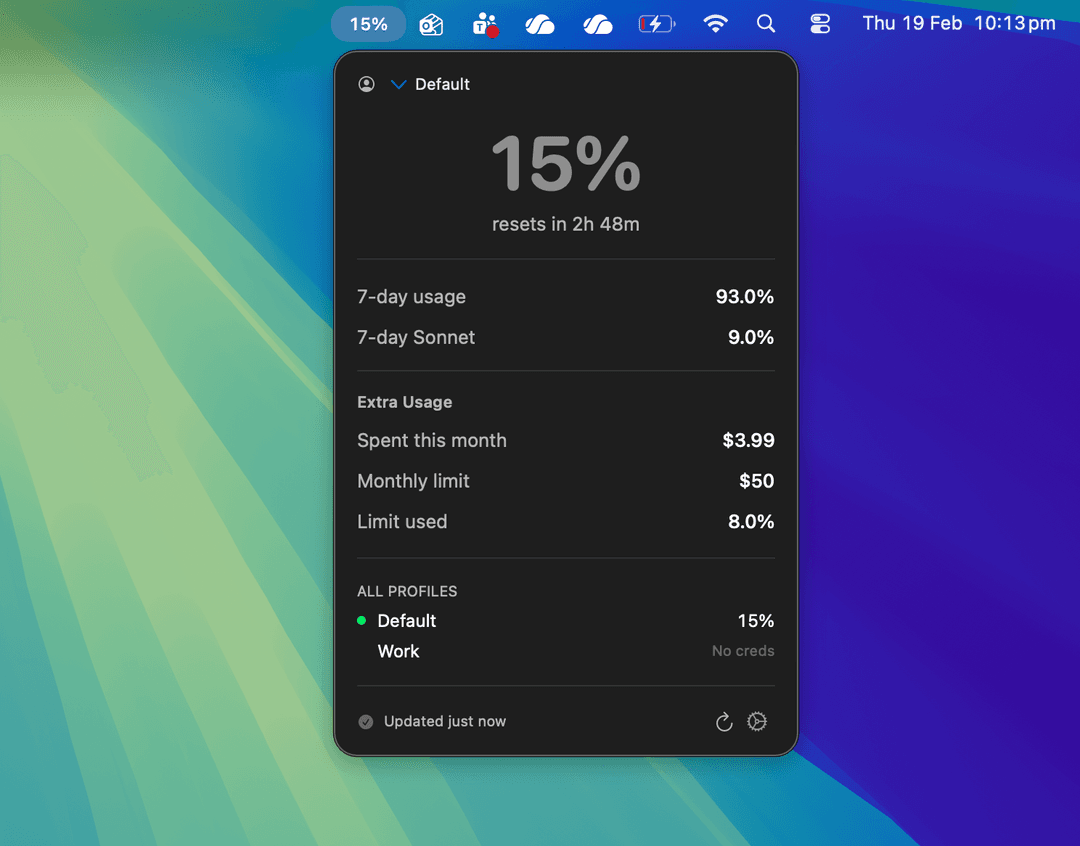
Tokemon shows your Claude usage in real-time — from your menu bar, a floating window, or Raycast. Track session limits, burn rate, project costs, and team budgets.

Open source — loved by developers who ship with Claude
Tokemon popover showing real-time Claude usage
Terminal

Real-Time Claude Usage Tracking

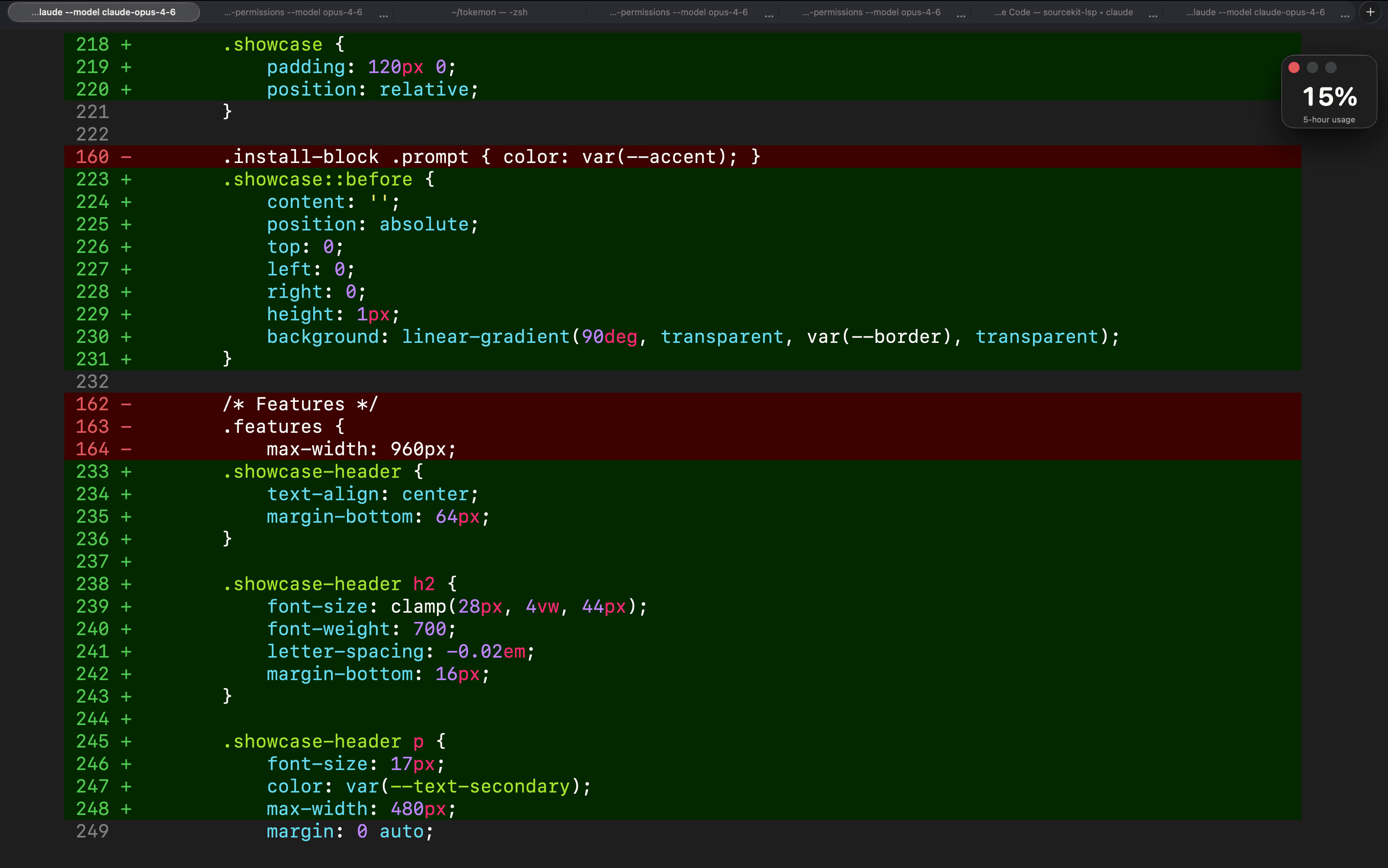
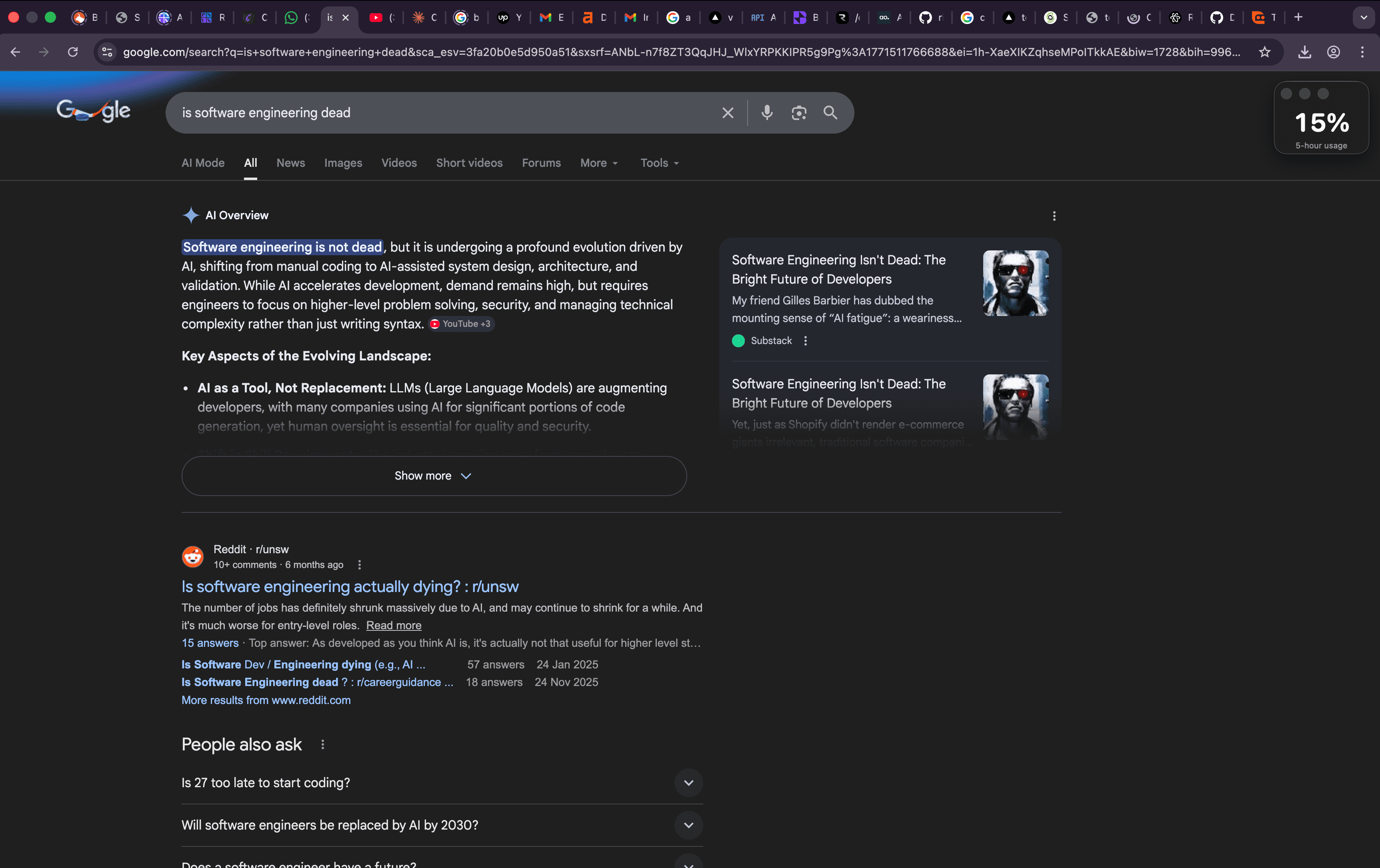
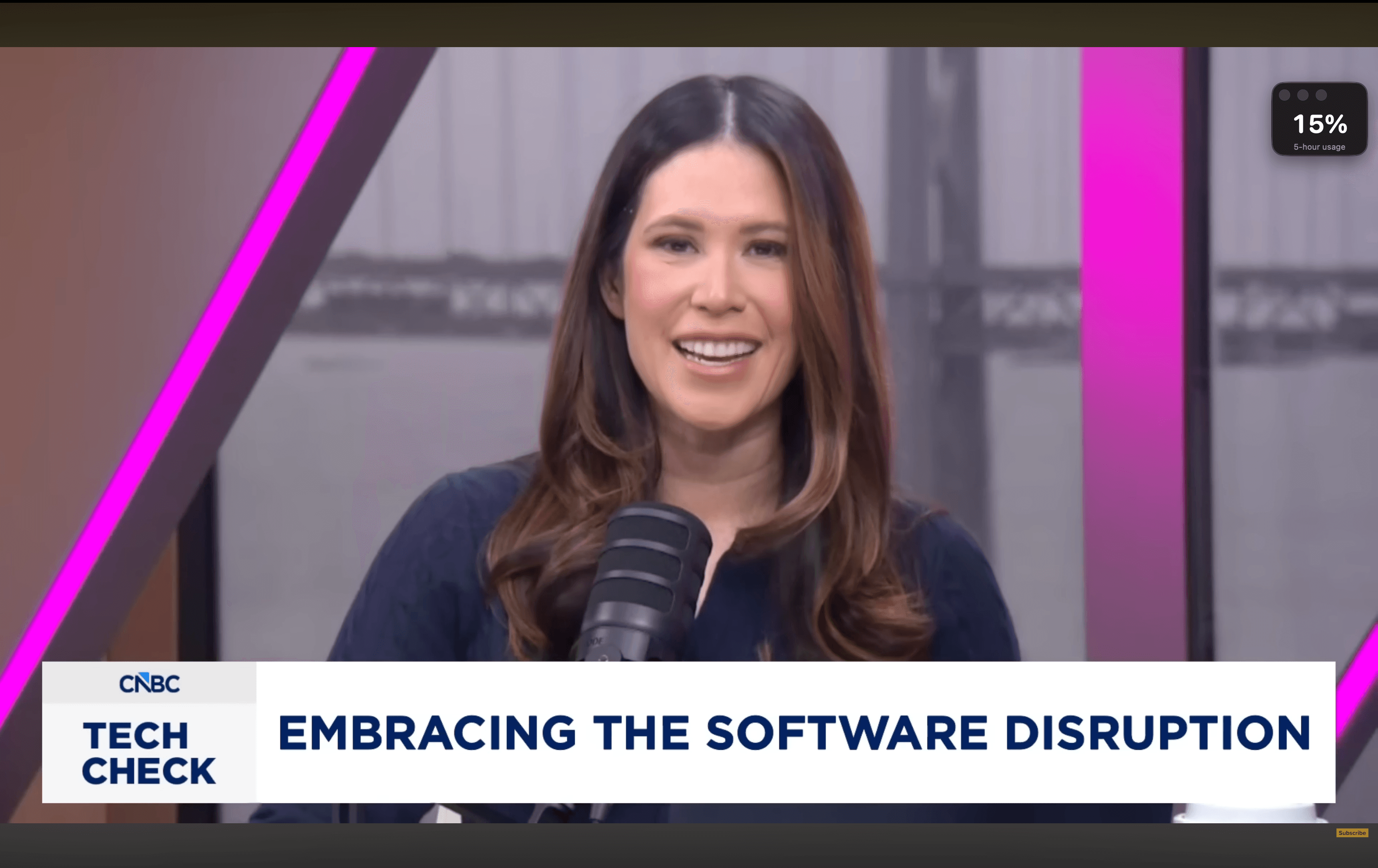
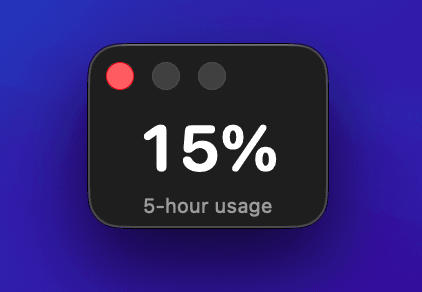
A compact floating window that stays on top of everything — fullscreen videos, browsers, your IDE. No clicking, no switching.

Coding in your editor
Browsing the web
Browsing the web
Watching fullscreen video
Floating window close-up

Monitor Claude Rate Limits & More

Slack & Discord alerts

Webhook notifications before you hit limits. Set thresholds at 50%, 70%, 90% — get a ping in your team channel, not a surprise in your IDE.

Terminal statusline

Live in the terminal? Export usage to your shell prompt via ~/.tokemon/statusline. One-click zsh/bash setup with ANSI color coding.

Usage summaries by period

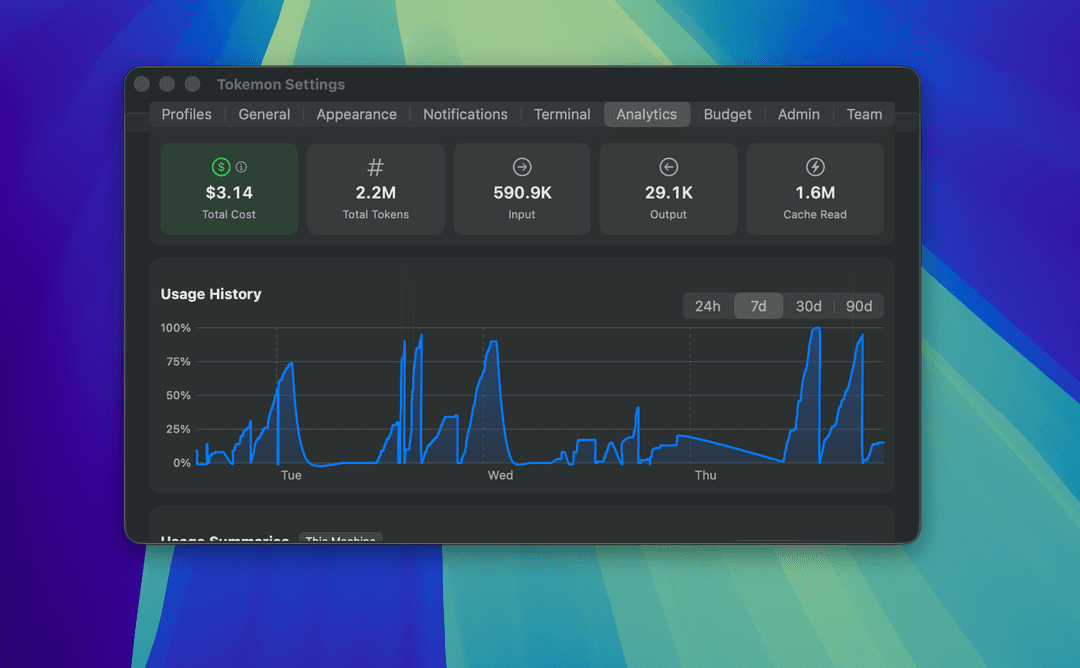
Filter analytics by 24h, 7 days, 30 days, or 90 days. See how your usage patterns change over time and identify high-consumption periods.

Multi-profile support

Manage personal and work accounts with independent credentials and alert thresholds. Switch between profiles instantly.

6 menu bar styles

Percentage, battery, progress bar, icon + bar, compact number, or traffic light. Optional monochrome mode to match native macOS styling.

Three themes

Native macOS (follows system), Light, or Dark with warm orange accents. Your choice across every window and panel.

Usage visibility

You don’t know if you’ll hit the limit before your session resets

Claude rate limits reset on a rolling window. Without visibility into your usage trend, you’re flying blind — burning through tokens with no idea when you’ll hit the wall.

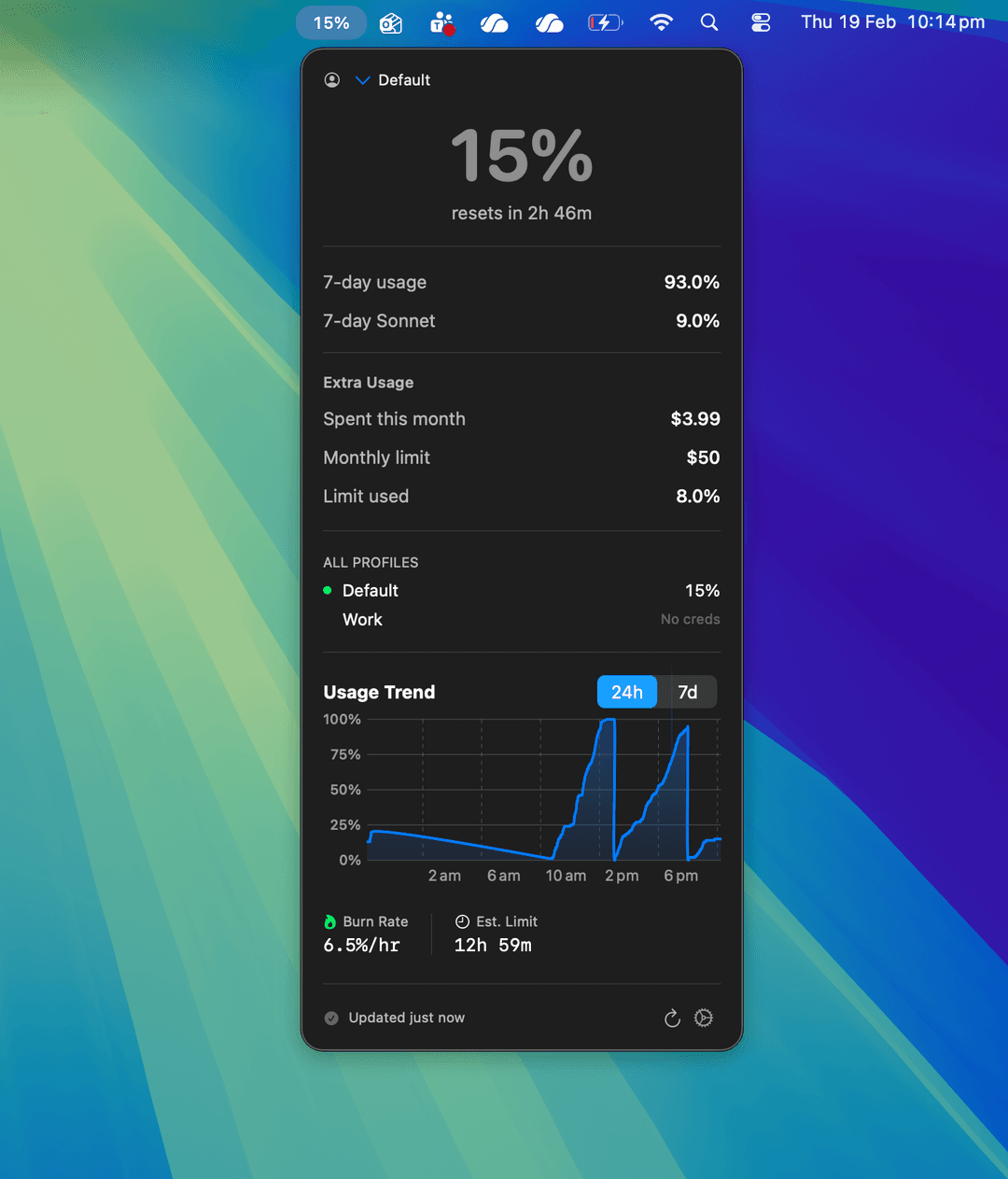
Tokemon charts your usage over 24 hours and 7 days, calculates your burn rate per hour, and estimates exactly when you’ll hit your limit at the current pace.

Estimated limit: 12h 59m — at your current burn rate of 6.5%/hr, you have plenty of runway. But if it drops to 2 hours? You’ll know immediately.
Usage trend chart with burn rate
Project tracking

You have no idea which projects are eating your tokens

If you’re billing clients for token usage or managing a budget across projects, you need to know where tokens are going. Manually tracking this is impossible.

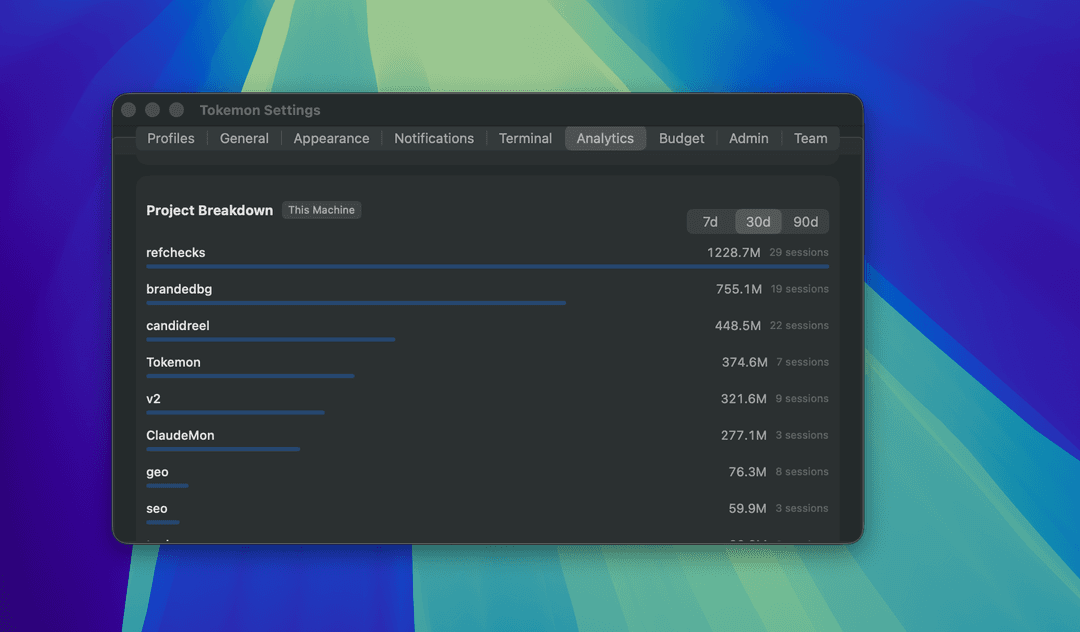
Tokemon parses your local session logs and breaks down token usage by project — showing exactly how many tokens each codebase consumed over 7, 30, or 90 days.

Billing clients? Now you can show that “refchecks” used 1.2B tokens and “candidreei” used 448M. Export the data to PDF or CSV and attach it to your invoice.
Project breakdown showing per-project token usage
Budget management

Your team is burning through API budget with zero visibility

You’ve set a monthly budget but have no idea how much has been spent, what the daily run rate is, or whether you’ll blow past the limit before month-end.

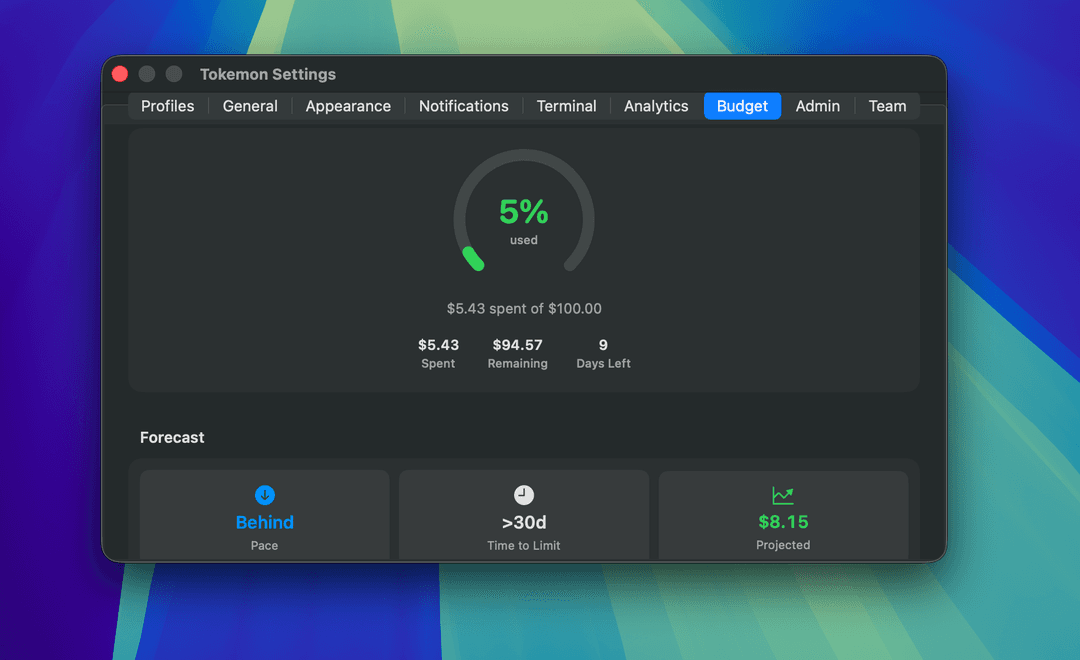
Connect your Admin API key and Tokemon gives you a real-time budget gauge — dollars spent, days remaining, and a forecast that tells you if you’re on pace or heading for an overage.

$5.43 of $100 spent, 9 days left. Forecast says you’ll finish at $8.15 — well under budget. But auto-alerts at 50%, 75%, and 90% ensure you’ll never be caught off guard.
Budget tracking with gauge and forecast
New in v4.0

Now available in Raycast

Your Claude usage inside the launcher you already use. No app switching, no menu bar clicking — just hit your hotkey.

Usage dashboard

Session percentage, weekly utilization, pace indicator, and reset countdown — all in a single Raycast command. Cmd+R to refresh.

Menu bar presence

Usage percentage lives in your Raycast menu bar with a colored indicator (green/yellow/orange/red) that updates every 5 minutes.

Multi-profile

Switch between personal and work Claude accounts instantly. Each profile has its own OAuth token and usage tracking.

Threshold alerts

Set a usage percentage and get a notification before you hit the limit. Alerts fire once per session window — never spammy.

Install from the Raycast Store, or clone and build locally:

~$git clone && cd tokemon-raycast && npm i && npm run dev
Team analytics

As an admin, you can’t see who’s using what

Managing a team’s Claude usage shouldn’t require digging through billing dashboards. You need a quick view of total cost, total tokens, and usage patterns across your organization.

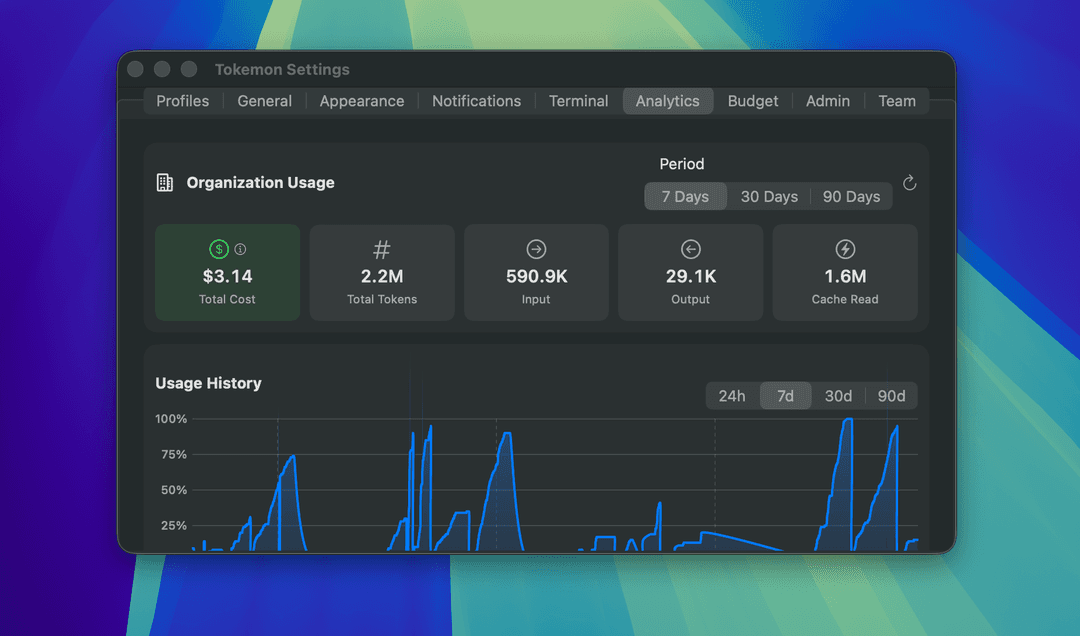
Tokemon connects to the Admin API and surfaces organization-wide analytics — total cost, input/output tokens, cache usage, and a usage history chart spanning 7 to 90 days.

Team leads and finance: See $3.14 total cost, 2.2M tokens across the org, and a usage history that shows exactly when spikes happened. Export it for your monthly report.
Organization usage analytics
Reporting & export

You need to justify token costs to clients or management

“We used a lot of tokens” doesn’t cut it. You need real data in a format people can read — whether you’re a freelancer billing clients or a team lead reporting to management.

Tokemon exports your usage data as PDF reports or CSV files. Per-project breakdowns, date-range summaries, cost data — everything formatted and ready to attach to an invoice or share in a meeting.

Freelancers: Export a 30-day PDF showing each client project’s token usage and cost. Attach it to your invoice. No more guessing, no more disputes.
Usage history and analytics for export

Learn More

Guides and tips for getting the most out of Claude Code without hitting rate limits.

Start Tracking Claude Usage in 30 Seconds

Free, open source, no account needed. Just install and go.

macOS$ brew install --cask richyparr/tokemon/tokemon
Raycast$ npm run dev

Frequently Asked Questions

Everything you need to know about monitoring your Claude usage.

What is Tokemon?+
Tokemon is a free, open-source Claude usage monitor for macOS and Raycast. It tracks your token limits, burn rate, per-project costs, and team budgets in real-time from your menu bar or a floating window.
How does Tokemon track Claude usage?+
Tokemon reads your local Claude session data and polls your usage percentage every 30 seconds. For organization-level data, it connects to the Anthropic Admin API to fetch cost reports and team analytics.
Is Tokemon free?+
Yes, Tokemon is completely free and open source under the MIT license. There are no paid plans or subscriptions.
Does Tokemon work with Claude Code?+
Yes, Tokemon is designed specifically for developers using Claude Code and the Claude API. It monitors your usage whether you're working in the terminal, your IDE, or the browser.
How do I install Tokemon?+
You can install Tokemon via Homebrew with 'brew install --cask richyparr/tokemon/tokemon', or download the latest release from GitHub. The Raycast extension can be installed from the Raycast Store.
Can Tokemon track team or organization usage?+
Yes, by connecting your Anthropic Admin API key, Tokemon shows organization-wide analytics including total cost, token usage, and a member-by-member breakdown.

Support Tokemon

Tokemon is free and open source. If it saves you time, consider buying me a coffee.

Buy me a coffee